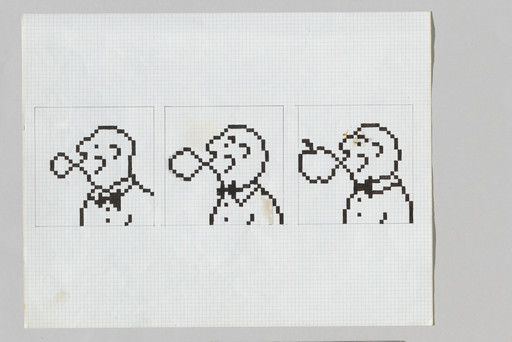
Bound sketchbook, ink and felt-tipped pen on paper
Not on view
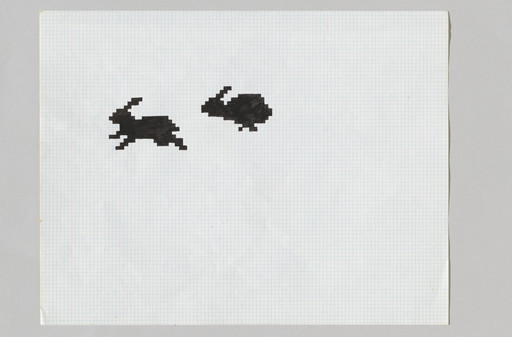
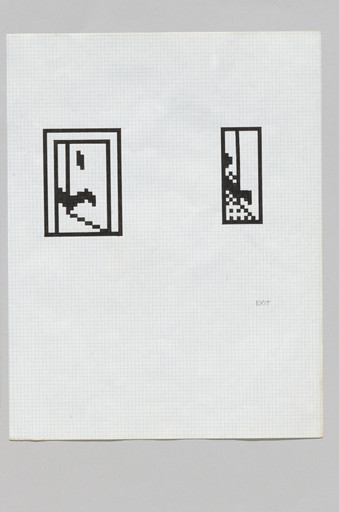
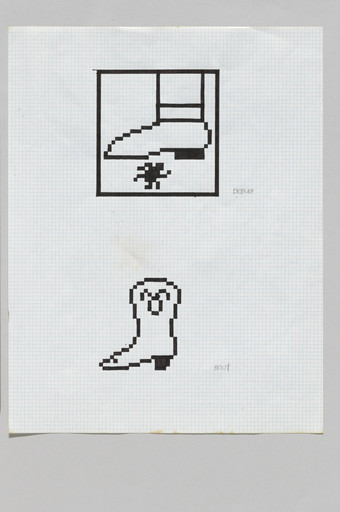
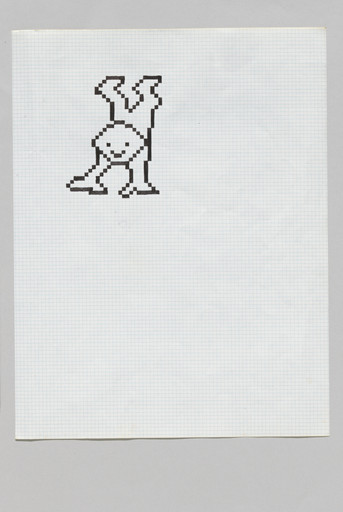
Kare’s icons for the Macintosh System 1, Apple’s first computer-operating system, changed the communication interface between humans and machines, making it easier and friendlier in tone. To design them, Kare used the decidedly analog method of pencil and pen on graph paper, each square representing a single pixel. Her icons are perfect translations of various word-processing and operating functions—a pair of scissors for cutting text and a trash bin for deleting files. These pictograms were designed to be a language intelligible to users in any country—a fully intuitive graphic user interface (GUI) whose influence remains evident in today’s devices.
Pirouette: Turning Points in Design, January 26, 2025–November 15, 2025
Gallery label from Never Alone: Video Games and Other Interactive Design , September 10, 2022–July 16, 2023
Kare designed the graphic user interface icons for Apple during the early years of the company. Her process is documented in graph-paper sketchbooks. Using one square to equal one pixel, Kare produced icons for various functions the computer user might undertake (for example, a pair of scissors symbolized the cutting of text, and a trash bin, the deletion of files). The pictograms were designed to be intuitive and understandable by Apple users across the globe. At the same time that Kare mined history and visual culture for existing icons that could be appropriated—from wristwatches (to mark the passing of time) to globe bombs (to indicate a system failure)—she created a visual language unique to the original Mac OS.
Never Alone: Video Games and Other Interactive Design, September 10, 2022–July 16, 2023
Explore more



From MoMA Design Store


Installation views
We have identified this work in the following photos from our exhibition history.
Licensing
Artwork or archival images
If you would like to reproduce an image of a work of art in MoMA's collection, or an image of a MoMA publication or archival material (including installation views, checklists, and press releases), please contact Art Resource (publication in North America) or Scala Archives (publication in all other geographic locations).
Audio and film clips
MoMA licenses archival audio and select out of copyright film clips from our film collection. At this time, MoMA produced video cannot be licensed by MoMA/Scala. All requests to license archival audio or out of copyright film clips should be addressed to Scala Archives at [email protected]. Motion picture film stills cannot be licensed by MoMA/Scala. For access to motion picture film stills for research purposes, please contact the Film Study Center at [email protected]. For more information about film loans and our Circulating Film and Video Library, please visit Circulating Film and Video Library.
Text from a publication or the archives
If you would like to reproduce text from a MoMA publication, please email [email protected]. If you would like to publish text from MoMA's archival materials, please fill out this permission form and send to [email protected].
Feedback
This record is a work in progress. If you have additional information or spotted an error, please fill out this feedback form.